
Thai Botanic · Tree identification app
Discover a tree's name.
TreeTell turns two photos — a leaf and the whole tree — into a checked scientific name, then opens the tree's landscape reference: drawings, characteristics and names in four languages.
Free to use. Coming soon to Android and iPhone.
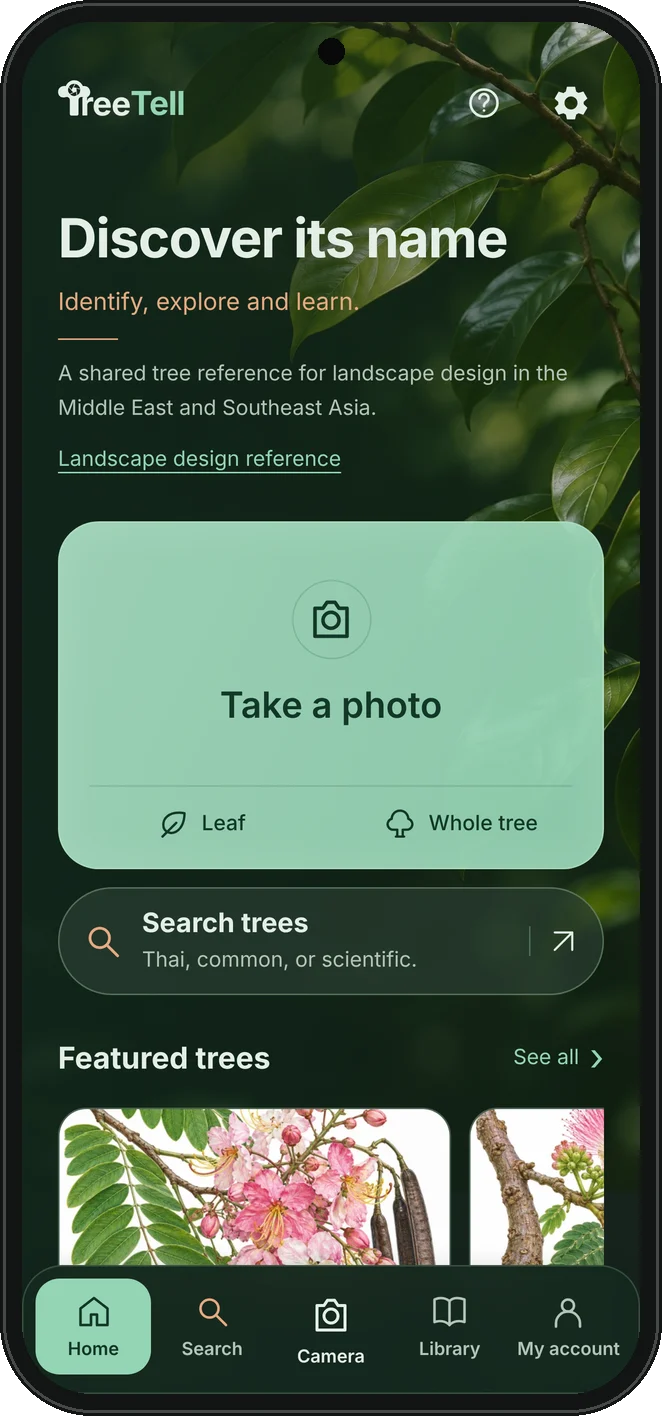
Made for gardeners, buyers and landscape designers who need to name a tree and agree on it — the gardener recognises it, the designer confirms it, and everyone talks about the same tree. Free to use, in the Middle East, Southeast Asia and beyond.
How it works
From a photo to a tree reference.
- 01
Photograph
Take or choose a leaf close-up and a whole-tree photo. Add a flower, fruit or bark view when you have one.
- 02
Identify
When you press Identify, the photos are checked by Pl@ntNet and the suggested name is confirmed against the GBIF Catalogue of Life.
- 03
Open the reference
A checked name opens the matching Thai Botanic tree page, with architectural and botanical drawings and recorded characteristics.
Made for design conversations.
A shared tree library
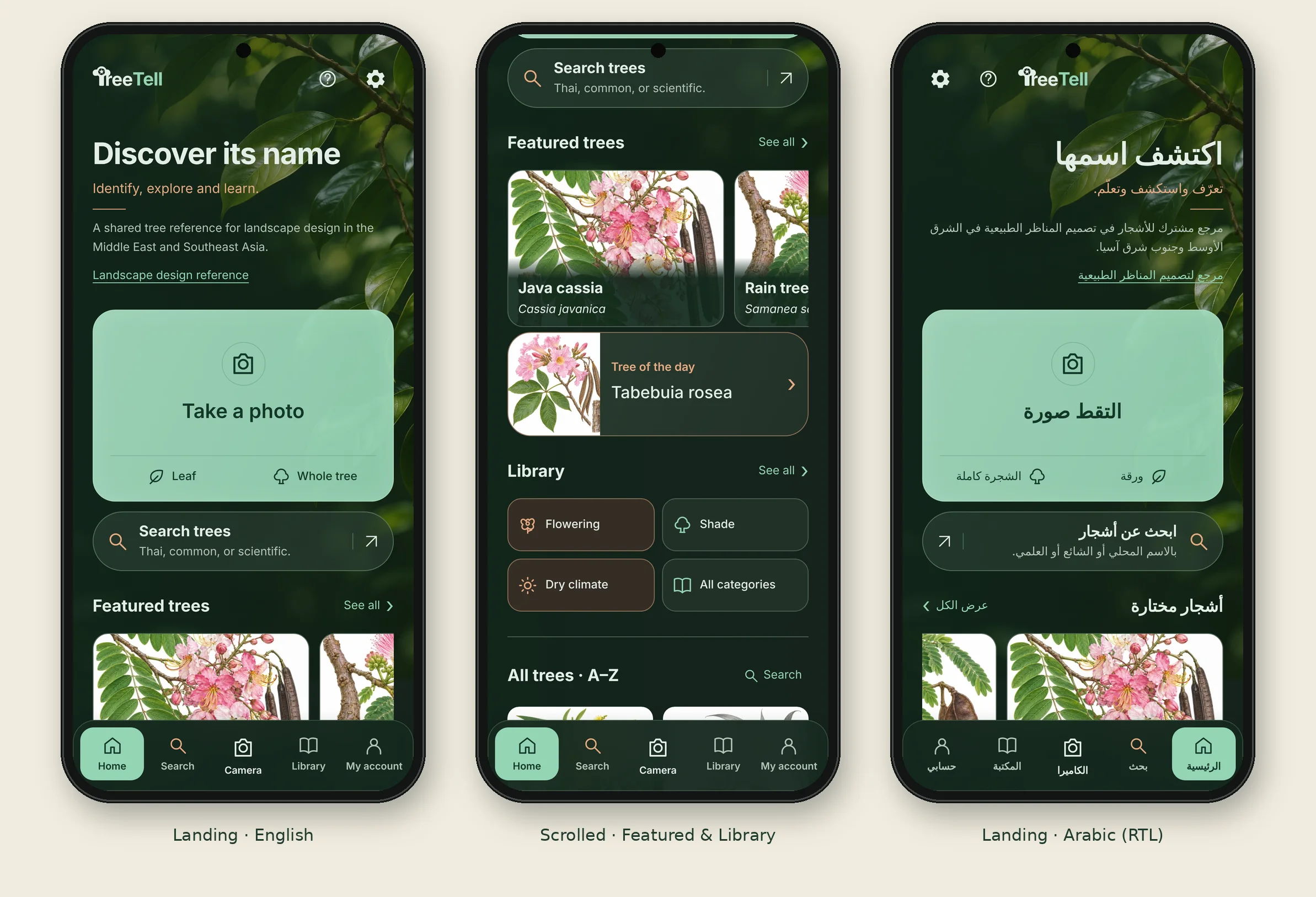
More than 1,500 trees with consistent scientific names, searchable by Thai, common or scientific name. Browse the library.
Four languages
English, Thai, Simplified Chinese and Arabic, with a right-to-left Arabic layout. Latin scientific names never change.
Projects and shortlists
Save trees to several projects with notes, compare trees side by side and keep your photo history on your phone.
Share as PDF or drawing
Send a project list as a clean A4 PDF, or share a tree's architectural drawing as PDF or PNG, in the language your recipient reads.
Always current
The tree library updates from Thai Botanic when the app opens, so newly added trees and drawings arrive without reinstalling.
Private by design
Your profile, projects and notes stay on your phone. Photos leave the phone only when you press Identify.
Download
TreeTell is coming soon.
We are completing phone testing before release. Ask to be notified and we will send you the download link as soon as TreeTell is available.

Questions and privacy.
Is a photo result a confirmed identification?
No. A photo result is a suggestion. TreeTell only links a name that passes the online name check, and marks lookalikes and uncertain results. Confirm identity on site before specifying.
What happens to my photos?
Choosing a photo does not send it anywhere. When you press Identify, the selected photos are sent to Pl@ntNet for recognition. Your profile, saved trees, projects and notes are stored on your phone only.
Does TreeTell work without internet?
Browsing the library, saved projects and PDF sharing work offline using the last downloaded tree library. Photo identification and library updates need an internet connection.
Which trees are included?
The library follows the Thai Botanic tree catalogue and grows as new species and drawings are added. A listing is a design reference, not an offer of stock, price or supply.
Is TreeTell free?
Yes. TreeTell is a free tool from Thai Botanic, made so that gardeners, buyers and landscape designers can recognise and agree on the same tree. There are no accounts to buy, no adverts and no in-app purchases. Verify names, sizes and local suitability before using a tree in a project.
Photo recognition by Pl@ntNet. Scientific names checked with the GBIF Catalogue of Life. TreeTell is a free tool from Thai Botanic; information is for landscape design reference only and may be incomplete.